Suica & Pasmo Cash Top-Up: Stations, Konbini, ATMs & Buses
Tokyo Mate
You can top up Suica and Pasmo with cash at station charging machines, convenience store counters, and some ATMs. This post gathers the places and methods for topping up, covering Welcome Suica and Tourist Pasmo as well as mobile transport cards on iPhone and Apple Watch.
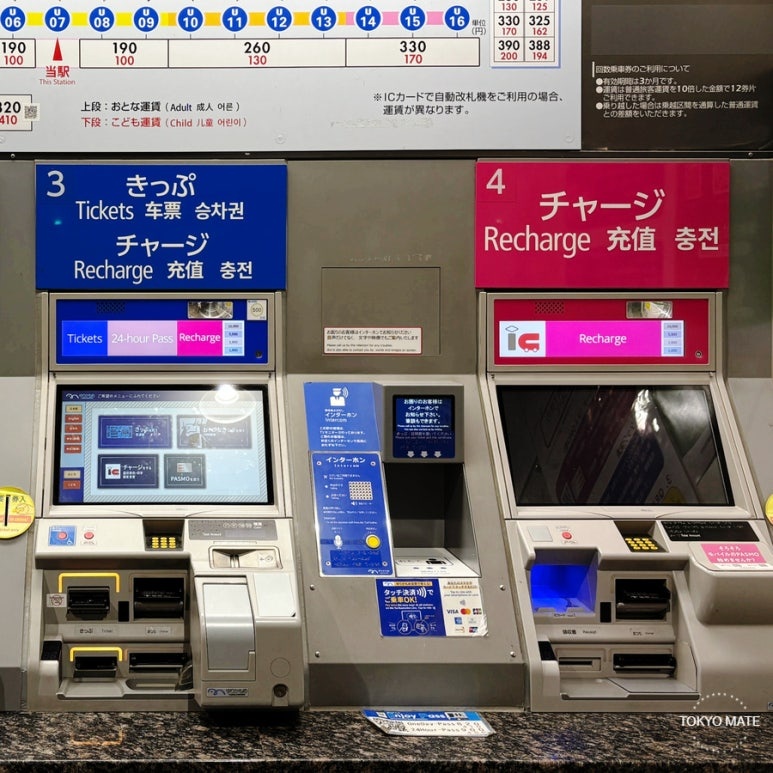
Where You Can Top Up Suica and Pasmo with Cash
Physical cards and mobile transport cards work with different machines.
| Where | Physical card | Mobile Suica / Pasmo |
|---|---|---|
| Station ticket and charging machines | Yes | Some machines |
| Convenience store counter | Yes | Yes |
| Seven Bank ATM | Suica, Pasmo, Welcome Suica | Yes |
| Lawson Bank ATM | Suica, Pasmo | Newer ATMs only |
| Bus fare box | Some buses | Some buses |
📌 Physical cards here include Suica, Pasmo, Welcome Suica, and Tourist Pasmo.
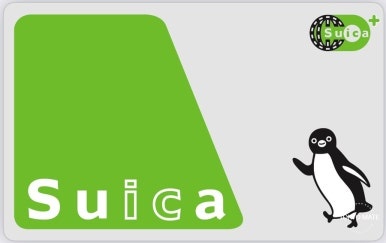
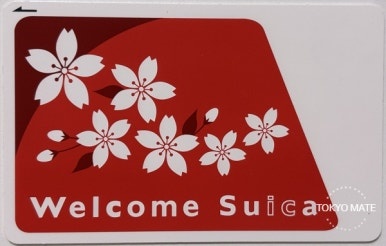

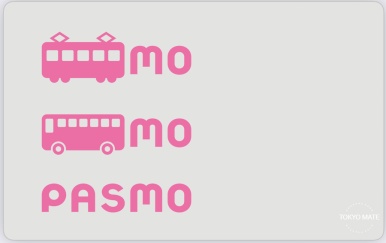
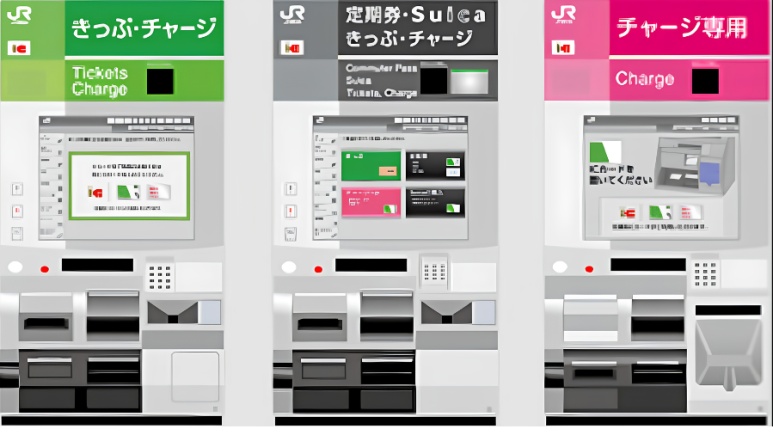
Method 1. Top Up at a Station Charging Machine
When you add balance to a transport card at a station ticket machine or charging machine, you use Japanese yen in cash.
① How to top up a physical transport card
Physical Suica, Pasmo, Welcome Suica, and Tourist Pasmo can be topped up with yen in cash at station ticket machines and charging machines that support transport IC card charging. Your current balance plus the amount you add cannot exceed 20,000 yen.
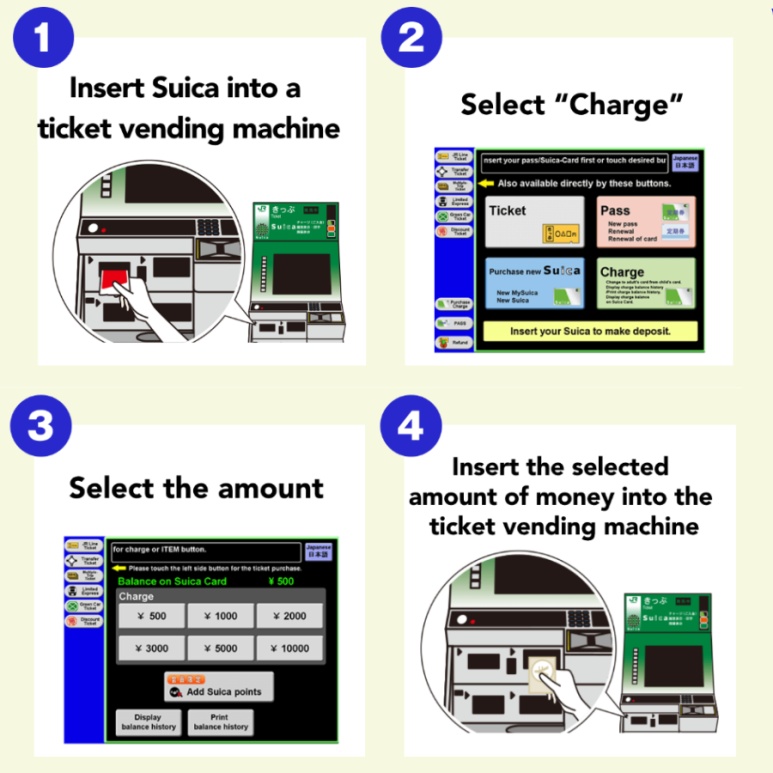
✅ Steps for topping up a physical card
- STEP 1. Find a machine in the station that supports transport IC card charging.
- STEP 2. Insert your physical card into the card slot.
- STEP 3. Select charge / チャージ on the screen.
- STEP 4. Select the amount you want to add.
- STEP 5. Insert yen in cash for the amount shown.
- STEP 6. Take your card and receipt once the top-up finishes.
📌 The order of inserting the card and the screen layout can differ between machines, but it generally goes card in, select charge, select amount, insert cash.
② How to top up Mobile Suica and Pasmo
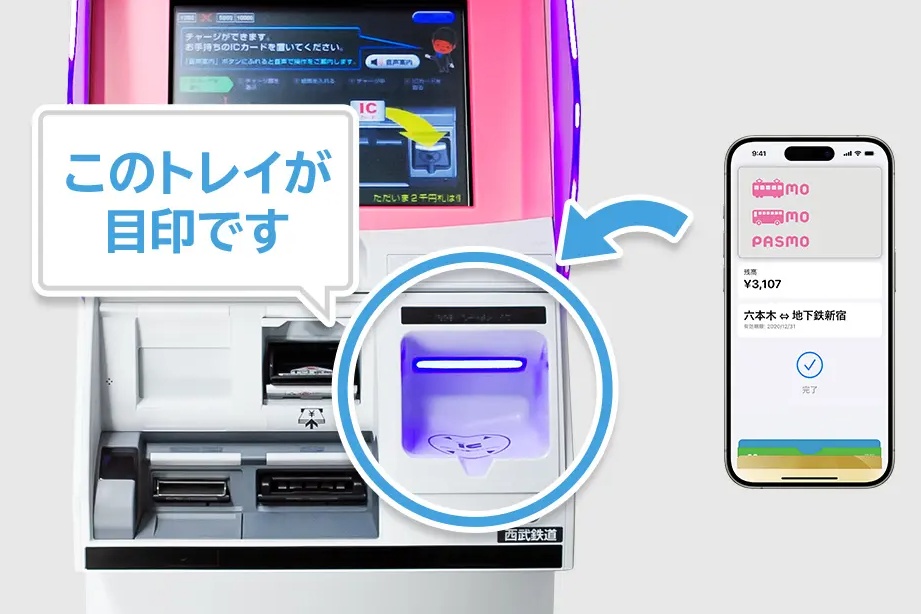
If you don't have a card to use with Apple Pay, or the payment isn't going through, you can top up with cash at some of the charging machines installed in stations.
Not every ticket machine supports Mobile Suica and Pasmo. You need to find a machine that has a tray where you can set down your iPhone or Apple Watch, or one marked as supporting mobile transport cards.
✅ Steps for topping up a mobile transport card
- STEP 1. Find a charging machine that supports Mobile Suica and Pasmo.
- STEP 2. Select charge or IC card charge on the screen.
- STEP 3. Place your iPhone or Apple Watch on the designated tray.
- STEP 4. Select the amount you want to add.
- STEP 5. Insert yen in cash and complete the top-up.
- STEP 6. After the completion message appears, take the device off the tray and check the balance.
⛔ You cannot put an iPhone or Apple Watch into a regular card-slot ticket machine. If there's no mobile transport card marking and nowhere to set the device down, use a different charging machine, a convenience store, or an ATM.
Method 2. Top Up at a Convenience Store Counter
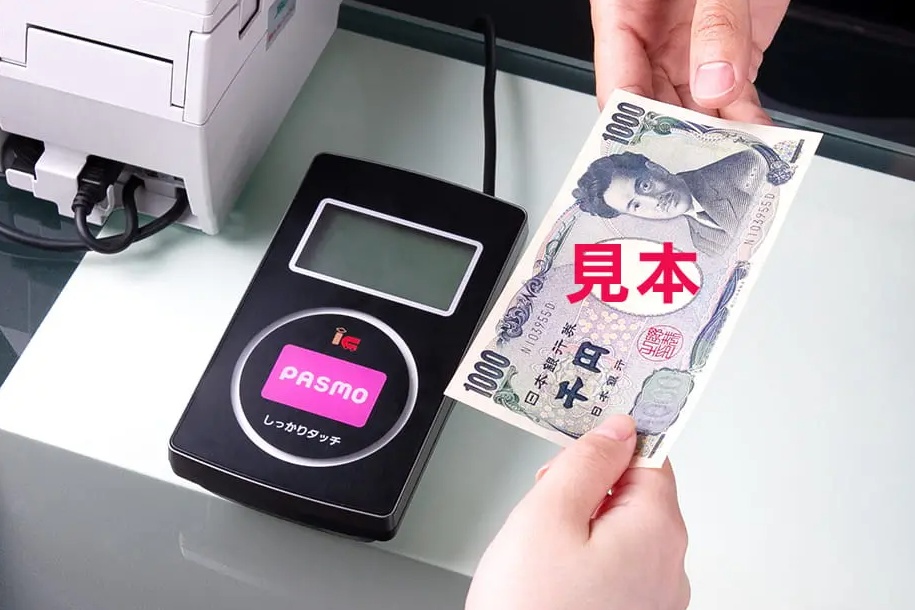
At convenience stores that support transport IC card charging, you can top up physical Suica, Pasmo, Welcome Suica, and Tourist Pasmo as well as Mobile Suica and Pasmo with cash.
Tell the clerk the amount, then put your physical card on the reader, or hold your iPhone or Apple Watch to the card reader. For a mobile transport card, check in the Wallet app beforehand which card you're topping up.
✅ Steps for topping up at a convenience store counter
- STEP 1. Ask the clerk to top up your transport card.
チャージお願いします。
Chaaji onegaishimasu. (Please top up my card.) - STEP 2. Say the amount you want to add.
3,000円お願いします。
Sanzen-en onegaishimasu. (3,000 yen, please.) - STEP 3. Put your physical card on the reader, or hold your iPhone or Apple Watch to the card reader.
- STEP 4. Pay the top-up amount in yen in cash.
- STEP 5. Take the card or device away once you hear the completion sound.
- STEP 6. Check the new balance on the receipt or in the Wallet app.
📌 Not every convenience store branch and register supports charging. If you're told it can't be done, try another nearby store or an ATM.
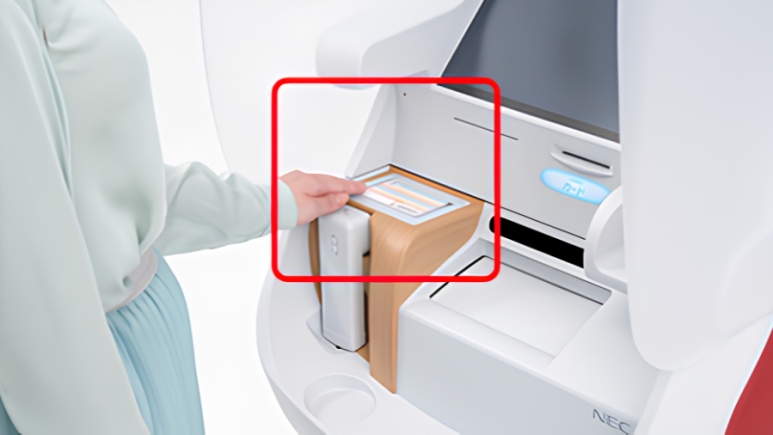
Method 3. Top Up at a Seven Bank ATM
At Seven Bank ATMs, you can place a physical Suica, Pasmo, or Welcome Suica, or Mobile Suica or Pasmo, on the reader and top up with cash.
Seven Bank ATMs handle cash top-ups in 1,000 yen units, and if you insert a bill larger than the amount you selected, you get change back.
✅ Steps for topping up at a Seven Bank ATM
- STEP 1. Select charge / チャージ on the ATM screen.
- STEP 2. Select transport electronic money.
- STEP 3. Place your physical card or iPhone on the ATM reader.
- STEP 4. Select charge / チャージ on the screen.
- STEP 5. Select the amount you want to add.
- STEP 6. Insert cash into the bill slot below the screen.
- STEP 7. Don't move the card or iPhone until the top-up finishes.
- STEP 8. Take the card or iPhone and collect your receipt and change.
Method 4. Top Up at a Lawson Bank ATM
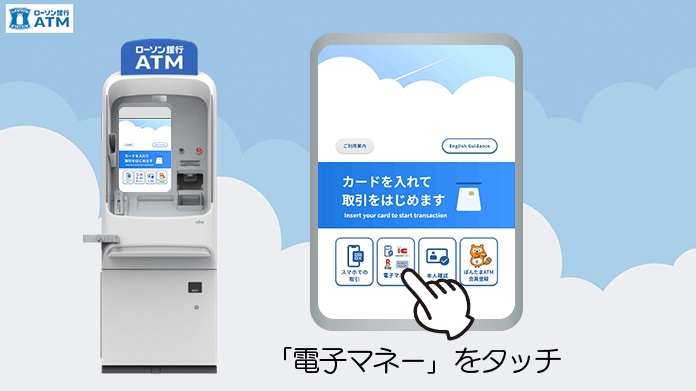
At Lawson Bank, you can top up physical Suica and Pasmo as well as Mobile Suica and Pasmo with cash at newer ATMs that support transport electronic money charging. Not every Lawson Bank ATM can do it, so check whether the ATM has the transport electronic money charging marking.
📌 Lawson Bank ATMs don't give change, and the full amount you insert goes onto the card. Have bills ready that match the amount you want to add.
✅ Steps for topping up at a Lawson Bank ATM
- STEP 1. Check that it's a newer ATM that supports transport electronic money charging.
- STEP 2. Select electronic money cash charge on the screen.
- STEP 3. On an iPhone, select the transport card you want to top up in Apple Pay.
- STEP 4. Place your physical card or iPhone on the multi-scan tray.
- STEP 5. Select the amount and insert yen in cash.
- STEP 6. Once the top-up finishes, take the card or iPhone and check the balance and receipt.
Method 5. Top Up at a Bus Fare Box
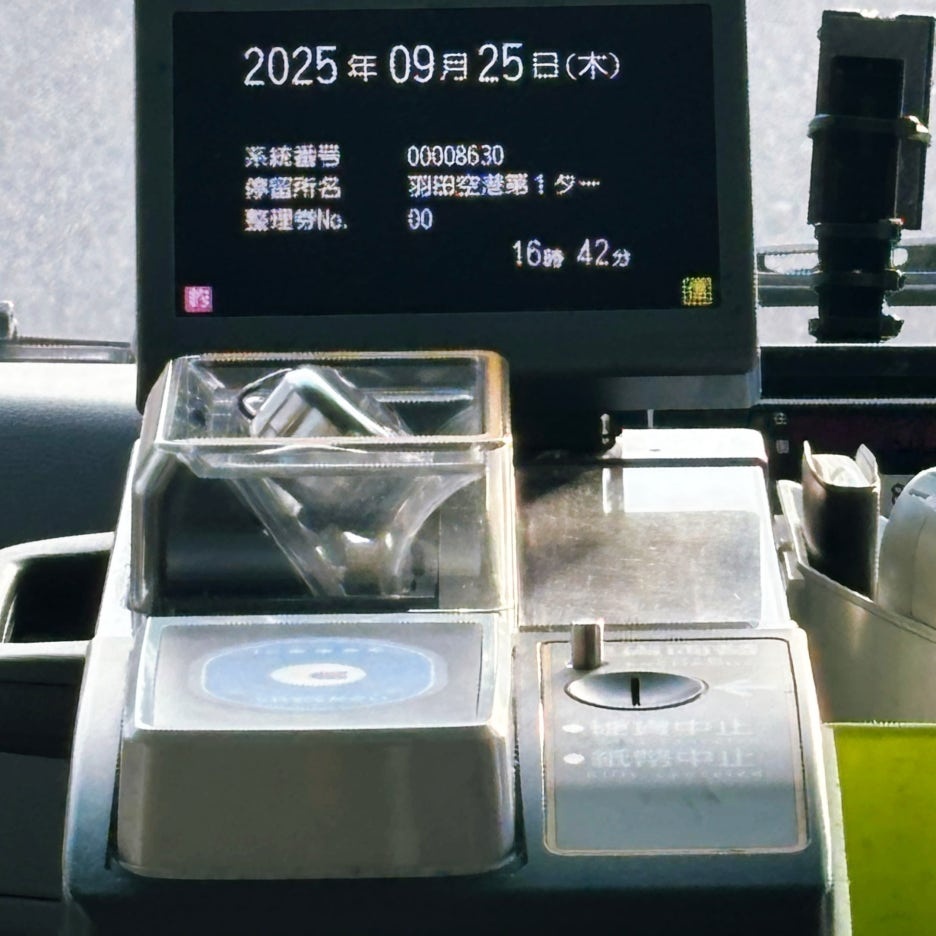
Suica and Pasmo, along with Welcome Suica and Tourist Pasmo for travelers, can be topped up with cash on some buses that support onboard charging. Which cards are supported varies by bus operator and fare box, so ask the driver first.
✅ Steps for topping up at a bus fare box
- STEP 1. While the bus is stopped, ask the driver for a top-up before you pay the fare.
- STEP 2. Wait until the driver switches the fare box into charging mode.
- STEP 3. Hold your physical card, iPhone, or Apple Watch to the IC card reader.
- STEP 4. Insert a 1,000 yen bill into the fare box.
- STEP 5. Once the top-up finishes, take the card or device away and check the balance.
📌 On a bus you can only use 1,000 yen bills, and you top up in 1,000 yen units. If your current balance is 10,001 yen or more, you can't add any more. (Coins and 5,000 or 10,000 yen bills can't be used.)
⚠️ If you hold your card or iPhone to the fare box before the driver switches to charging mode, the bus fare may be deducted instead. Always ask for the top-up before you pay the fare.
Not every bus and fare box supports Mobile Suica and Pasmo charging. Think of onboard charging as a backup for when your balance runs short, and top up at a station or convenience store before boarding when you can.
Frequently Asked Questions About Cash Top-Ups
Q. How much can I load onto Suica, Pasmo, Welcome Suica, and Tourist Pasmo?
A. Suica, Pasmo, Welcome Suica, and Tourist Pasmo can hold up to 20,000 yen counting the current balance plus what you add. Welcome Suica and Tourist Pasmo don't refund the remaining balance. Toward the end of your trip, add only what you need.
Q. Can I top up Welcome Suica and Tourist Pasmo with a credit card?
A. Welcome Suica and Tourist Pasmo are topped up with yen in cash. Welcome Suica works at station charging machines, convenience store counters, and Seven Bank ATMs, and Tourist Pasmo works at station ticket machines, convenience store counters, and on some buses.
Q. Can iPhone Suica and Pasmo also be topped up with cash?
A. Yes. You can top up with cash at convenience store counters, Seven Bank ATMs, newer Lawson Bank ATMs, and some station charging machines. At stations you need to use a tray-type charging machine where you can set down your iPhone or Apple Watch.
Q. What do I do if my balance is short and I can't get out through the ticket gate?
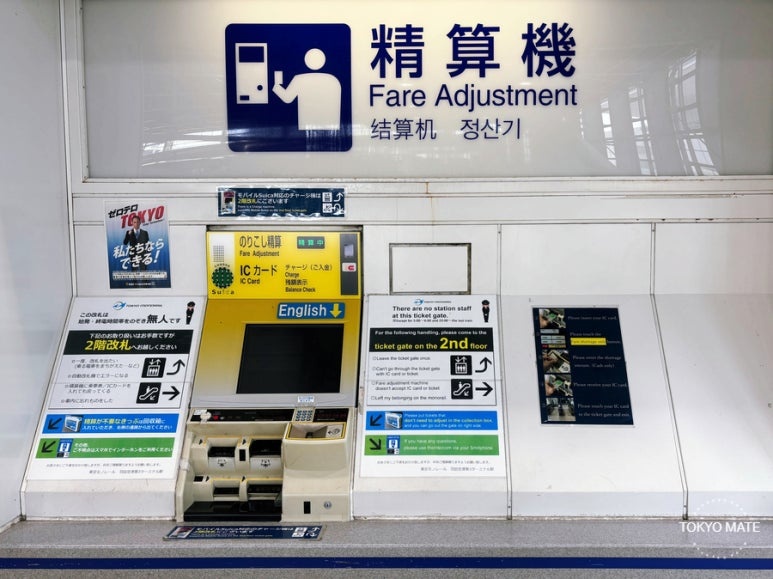
A. Add the missing amount at a fare adjustment machine or transport card charging machine inside the station, then tap at the gate again.
Even if your transport card balance runs short, there's no need to panic as long as you know where to top up.
One small bit of preparation makes getting around easier, and gives your Tokyo trip a little more breathing room.
🧡 Tokyo Mate Transport Card Guides
👉 iPhone Pasmo and Suica Guide: Registration, Apple Pay Top-Up, and Error Fixes
👉 Tokyo Transportation Card Comparison: Suica, Welcome Suica, Pasmo, and Tourist Pasmo