Tokyo Bike Share: Docomo vs HelloCycling & Day Pass
Tokyo Mate
This is a guide for travelers looking for how to use Tokyo's bike-share services.
Based on 2026 information, this post compares the pricing, sign-up methods, and rental and return procedures of Docomo Bike Share and HelloCycling, and also covers the payment conditions and points to watch out for that foreign travelers should check.
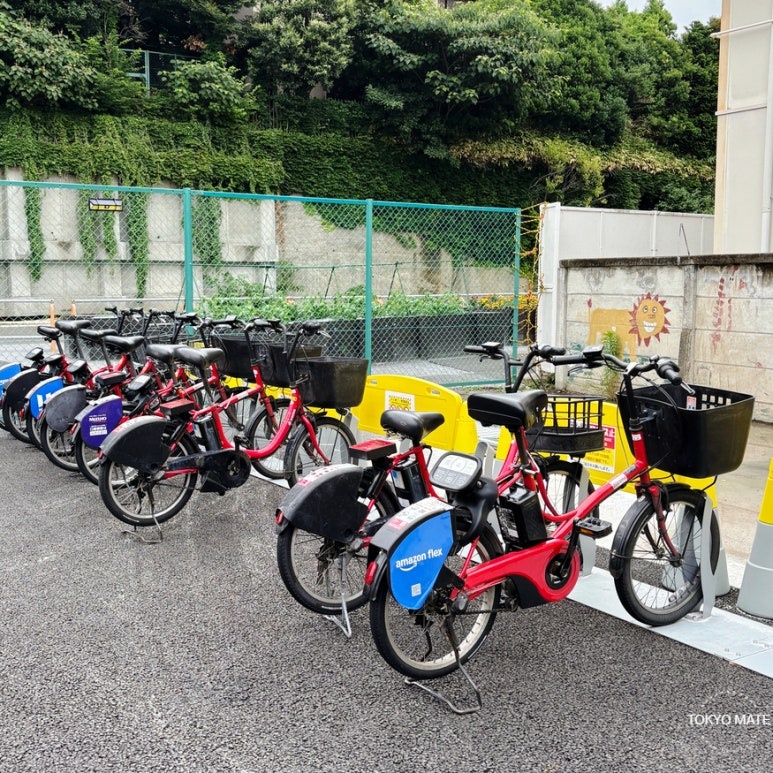
Tokyo Bike Share: Docomo Bike Share and HelloCycling
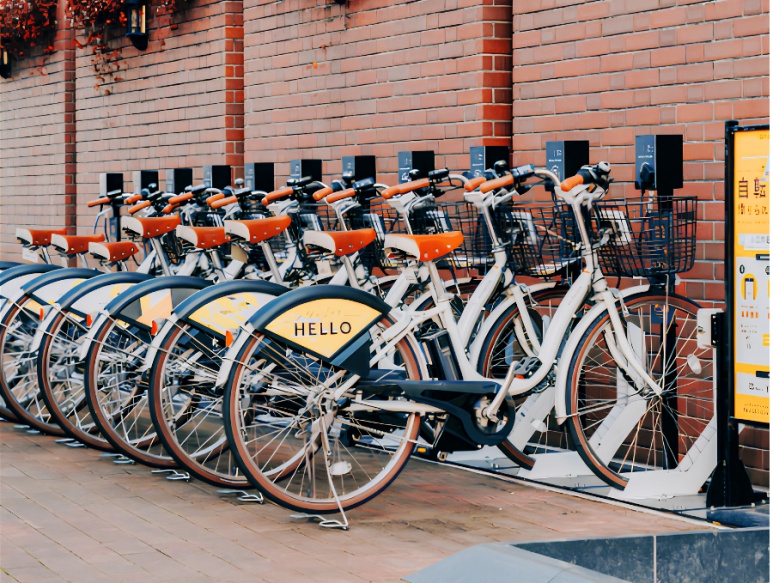
Tokyo's bike-share is a service where you rent a bike at a dedicated port and then return it at another port near your destination. You find ports and bikes in the app and unlock the bike with a QR code or passcode.
The two main services are Docomo Bike Share and HelloCycling.
The difference is that Docomo Bike Share is convenient for use in central Tokyo and with the 1-day pass, while HelloCycling lets you use partner stations nationwide and a variety of bike types.
⚠️ Some HelloCycling bikes can only be used by riders 145 cm tall or taller.
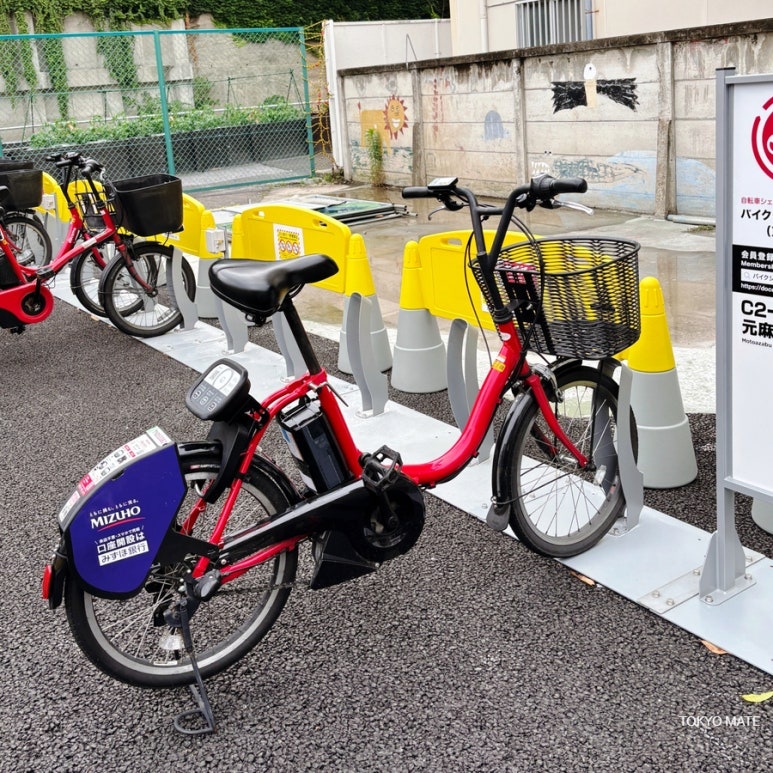
How to Use the Docomo Bike Share Time Pass
For the Docomo Bike Share time pass, you sign up as a member in the official app, then you can reserve a bike at a nearby port or rent one on the spot.
Sign-up takes about 5 minutes, and you'll need a smartphone that can receive SMS and a credit card.
| Pass type | Fare | Recommended for |
|---|---|---|
| Time pass (app install) | First 30 min: 165 yen 165 yen per 30 min after that | Short, one or two rides |
1️⃣ Install the app and sign up
Install the Bike Share Service (バイクシェアサービス) app from the App Store or Google Play.
You'll need the following to sign up:
- A smartphone that can receive SMS
- A credit card in your own name
- A d ACCOUNT, Google, or Apple account
⚠️ Debit cards and prepaid cards cannot be used. Prepaid rechargeable cards such as TravelWallet or Travlog may also be declined, so it's safer to prepare a regular credit card separately.
2️⃣ Set up your account and My Area
After launching the app, sign up with one of Google, Apple, or a d ACCOUNT. When you log in for the first time, set your My Area, the area you'll mainly use, to Tokyo.
My Area cannot be changed after sign-up, but apart from some areas you can use Docomo Bike Share in other areas with the same account.
3️⃣ Register a plan and payment method
On the plan selection screen, choose the One-Time Member plan, which corresponds to the time pass. The Tokyo wide-area One-Time Member fare is 165 yen for the first 30 minutes, then 165 yen per 30 minutes after that.
After that, register a credit card as your payment method and sign-up is complete.
※ Only one bike can be used per account.
※ The 1-day pass can be used without app sign-up; you buy it separately at 7-Eleven or FamilyMart.
How to Use the Docomo Bike Share 1-Day Pass
The Docomo Bike Share 1-day pass can be used without regular app sign-up. However, after buying the ticket you do need to complete usage registration by entering your name and mobile phone number and completing SMS verification.
The Tokyo wide-area 1-day pass is 1,650 yen, and you can buy it at 7-Eleven or FamilyMart.
| Pass type | Fare | Recommended for |
|---|---|---|
| 1-day pass (convenience store purchase) | 1,650 yen | Multiple rides in one day |
1️⃣ Buy at 7-Eleven
At 7-Eleven, there are two ways to buy it.
① Apply online via 7Ticket
Apply for the Tokyo Wide-Area Bicycle Sharing 1-Day Pass on the official 7Ticket site. After applying, present the issued 13-digit payment slip number at the register of a nearby 7-Eleven and pay, and you'll receive the ticket.
※ Even if you apply online, payment and ticket pickup are done at a 7-Eleven store.
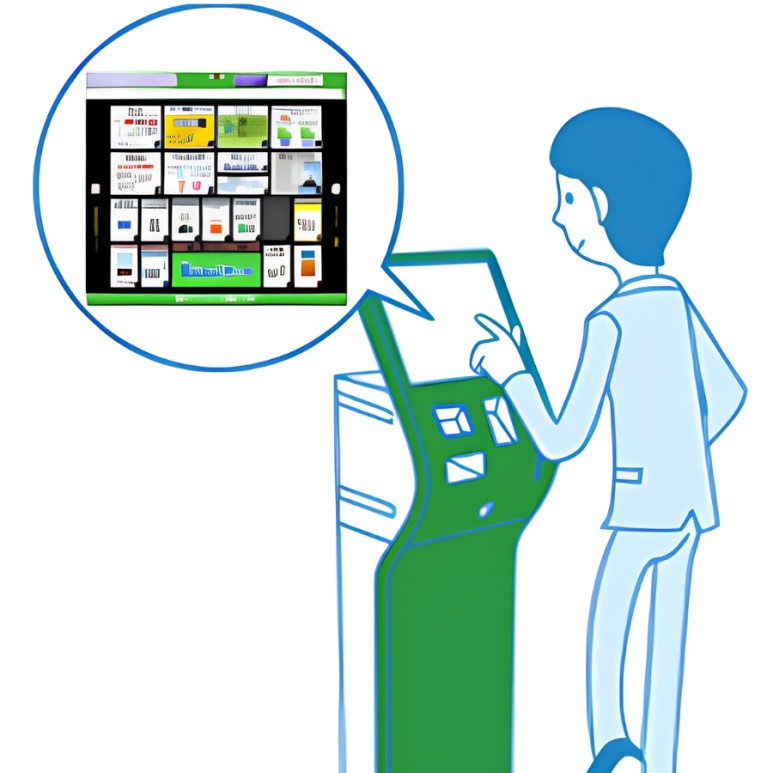
② Buy at the in-store multi-copier
- Select Ticket (チケット) on the multi-copier
- Select 7Ticket (セブンチケット)
- Select Leisure (レジャー)
- Select Bicycle Sharing (自転車シェアリング)
- Select Tokyo as the usage area
- Select the ticket type and quantity
- Enter your name and phone number
- Take the printed payment slip to the register
- Pay within 30 minutes and receive the ticket
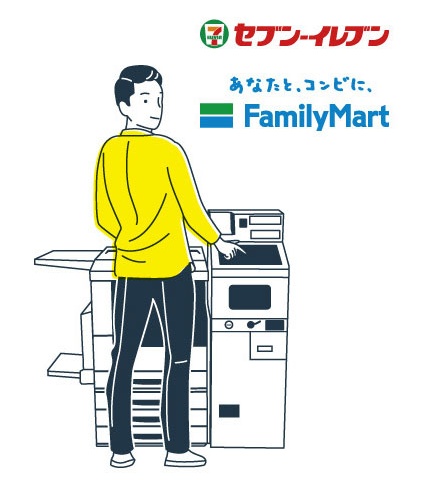
2️⃣ Buy at FamilyMart
Use the FamilyMart multi-copier inside a FamilyMart store.
- Select Ticket (チケット)
- Select Search and buy tickets (チケットを探して買う)
- Select Ticket search (探して買う!!)
- In the search box, enter Tokyo Bike Share (トウキョウバイクシェア)
- Select Tokyo Metropolitan Wide-Area Cooperative Bicycle Sharing 1-Day Pass (東京都広域連携自転車シェアリング1日パス)
- Select the usage area, ticket type, and quantity
- Print the application slip
- Pay at the register within the valid time and receive the ticket
3️⃣ Log in with the QR code and ticket ID
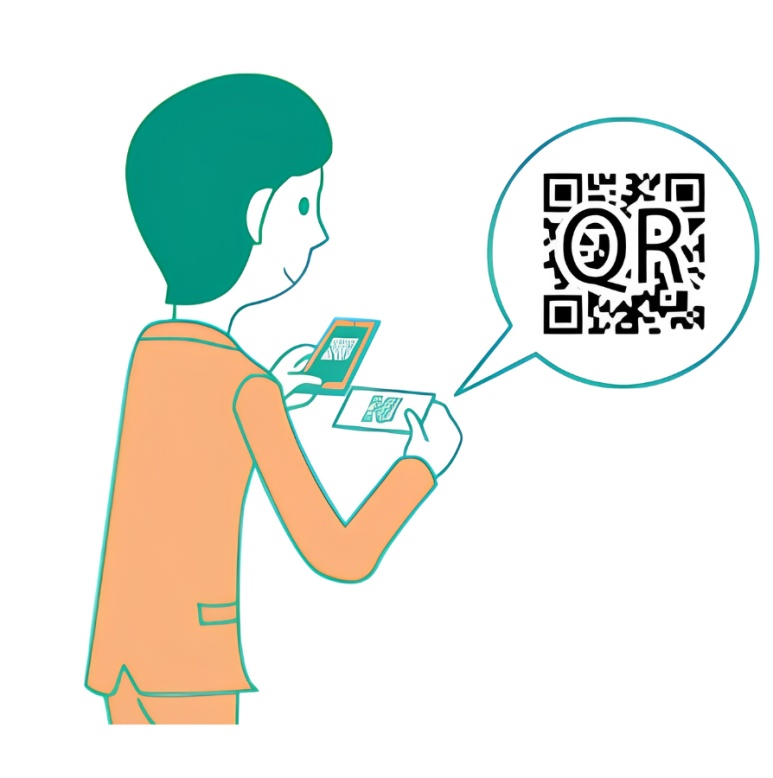
Scan the QR code printed on the ticket to access the dedicated My Page for the 1-day pass. Log in with the ID and password shown on the ticket, then agree to the terms of use and enter your name and mobile phone number.
⚠️ Regular app sign-up and credit card registration are not required.
4️⃣ SMS verification and usage registration
Enter the verification code sent to the phone number you provided, and your 1-day pass usage registration is complete.
⚠️ If you're using a non-Japanese mobile number, check before you leave home whether it can receive international SMS. Some carriers and plans block international SMS, in which case usage registration itself may be impossible.
📌 Be sure to check these when using the 1-day pass
Usage time
- ✔️ The 1-day pass is not a 24-hour pass; it's valid only until 23:59 on the day of use
- ✔️ You can rent bikes multiple times within the valid period
After purchase
- ✔️ After buying the ticket, cancellation, refund, and changes to the details are not possible
- ✔️ The 1-day pass cannot be lent or transferred to another person
Parking and returning
- ✔️ When parking briefly, use a permitted parking spot and always lock the bike
- ✔️ After you finish using it, return it to a designated port and confirm that the return is complete
How to Rent and Return a Docomo Bike Share Bike
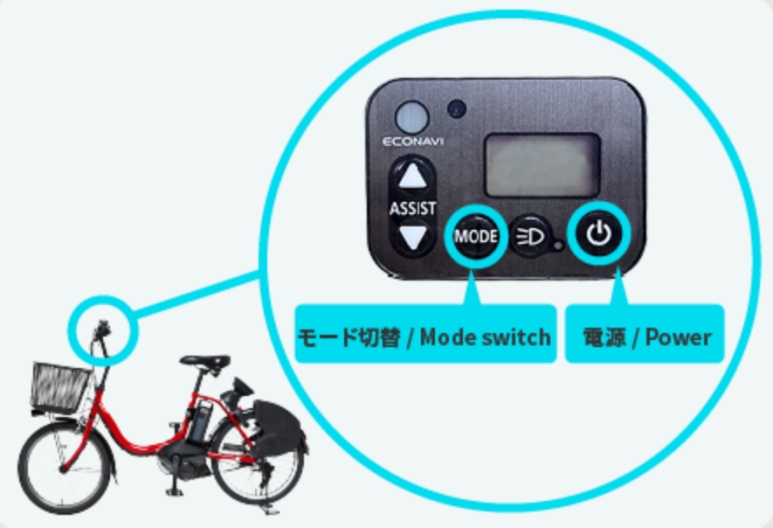
With Docomo Bike Share, you can reserve a bike at a port in advance or choose one on the spot. The operating terminal on the back of the bike comes in two types, round and square, so you need to unlock it according to the terminal's shape.
1️⃣ Find a bike’s location
When you select a nearby port in the official app, you can check the number of bikes available to rent, the space available for returns, and each bike's remaining battery level.
Some ports have restrictions on operating hours or the number of bikes available for return.
📌 Safety check before use
| Item | What to check | |
|---|---|---|
| Battery level | If low, you may not be able to unlock or return the bike, and extra charges may apply | |
| Saddle height | Check that the saddle post is inserted at least 12 cm | |
| Brakes and tires | Both brakes work, no flat tires | |
| Lights and body | Check for exterior damage | |
| Operating terminal | Check that the START or Start (開始) button works | |
⚠️ If there's a problem, choose another bike. If you return it to the same port within 5 minutes of unlocking, no usage fee is charged.
2️⃣ How time-pass users (app members) rent
App members can reserve a bike in advance or choose one directly at the port. To reserve, tap Reserve (予約する) on the port detail screen. No usage fee is charged while reserving. To rent on the spot, select Unlock (鍵をあける) from the app menu.
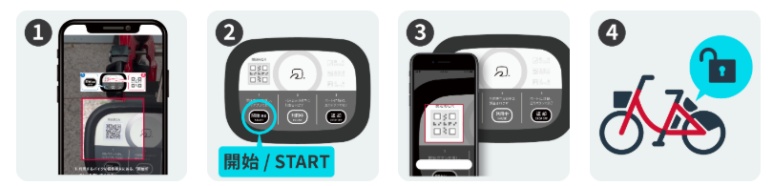
① How to rent with a round terminal
- Select the round terminal in the app
- The QR code reading screen appears
- Press the Start (開始) button on the bike
- Scan the bike's QR code
- Once it unlocks, start riding
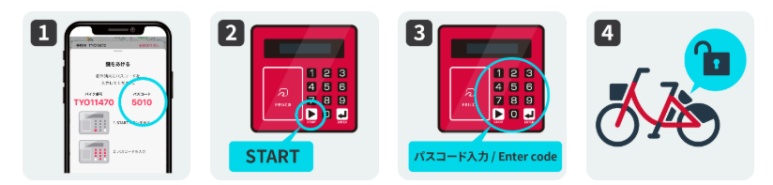
② How to rent with a square terminal
- Select the square terminal in the app
- Check the 4-digit passcode shown on the screen
- Press the START button on the bike
- Enter the 4-digit passcode
- Once it unlocks, start riding
3️⃣ How 1-day pass users rent a bike
For the convenience store 1-day pass, you use it from the dedicated My Page after registering the ticket.
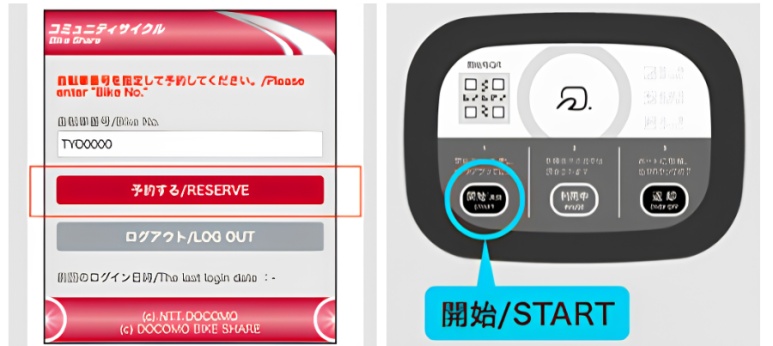
① How to rent with a round terminal
- Enter the bike number on the dedicated My Page
- On the reservation complete screen, select Next (次へ)
- Press the Start (開始) button on the bike
- On the screen, select Unlock the bike (自転車の鍵を開ける)
- When the ring blinks and it unlocks, start riding
② How to rent with a square terminal
- Enter the bike number on the dedicated My Page
- Check the 4-digit passcode shown on the screen
- Press the START button on the bike
- Enter the 4-digit passcode
- Once it unlocks, start riding
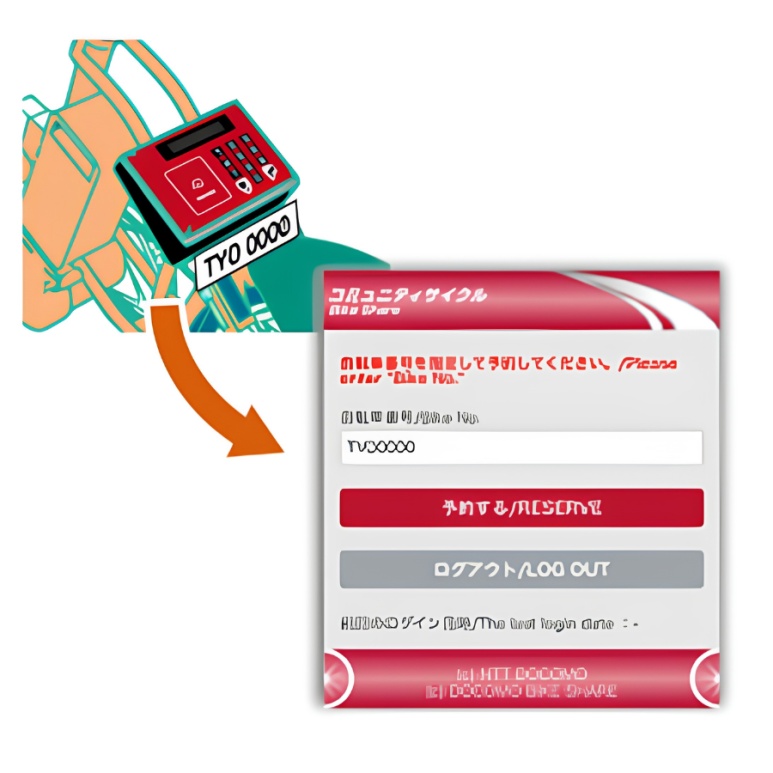
※ The bike number is shown as 3 letters and 4 to 5 digits.
4️⃣ Parking briefly during use
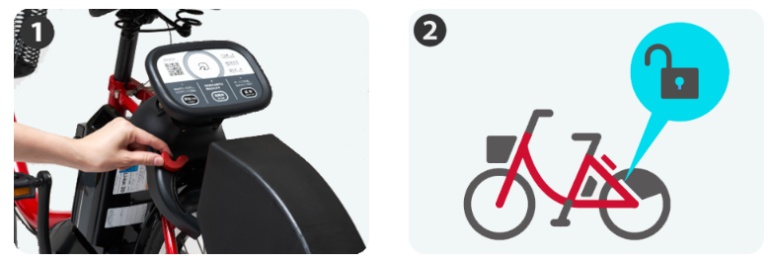
Park the bike in a spot where parking is permitted, then manually lock the rear-wheel lock. To ride again, press the START or Start (開始) button and unlock it the same way you did when you first rented it.
⚠️ The usage time and fee keep accruing even during temporary parking.
⚠️ If you lock it inside a port, it may be returned automatically.
⚠️ If the bike is removed for illegal parking, you may have to pay the related costs.
5️⃣ Returning to a designated port
Before returning, check the operating hours and available return space in the app or on the port map. If a port is full, you can't return there, so you'll need to move to another port.
Stand the bike inside the port, then manually lock the rear-wheel lock.
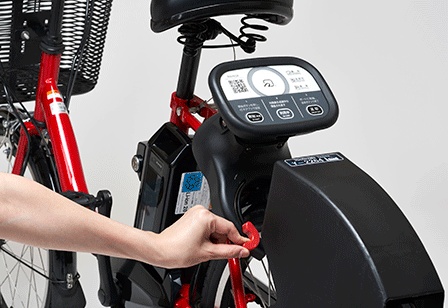
① Returning with a round terminal
- Lock the rear-wheel lock
- Check the Return available (返却可) display
- Press the Return (返却) button
- Check that the ring lights up blue
② Returning with a square terminal
- Lock the rear-wheel lock
- Press the ENTER button
- Check the Return (返却) display on the screen
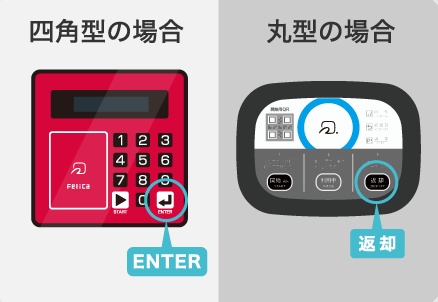
Finally, be sure to check whether a return-complete notice has arrived in the app notification or by email.
⚠️ If you only lock the bike but don't finish the return procedure, the ride stays active and fees may keep being charged. If no notification arrives, don't leave the spot; retry at the terminal or contact the support center (0570-783-677) immediately.
Docomo Bike Share vs HelloCycling Comparison
Tokyo's two main bike-share services are Docomo Bike Share and HelloCycling.
If you'll be using a bike for short trips in central Tokyo or riding several times in a day, Docomo is a good fit; if you want a variety of bike types and use outside Tokyo, HelloCycling suits you better.
| Item | Docomo Bike Share | HelloCycling |
|---|---|---|
| Bikes | Mostly e-bikes | City cycle, sports, e-Bike |
| Initial fare | 165 yen / 30 min | From 160 yen / 30 min |
| Long use | 1-day pass 1,650 yen | 12-hour cap fare by bike type |
| Coverage area | Mainly Tokyo wide area | Partner stations across Japan |
| Recommended | Short trips in central Tokyo, all-day use | Choice of bike type, use outside Tokyo |
HelloCycling bike app
With HelloCycling, you can use partner stations across Japan with a single account, and depending on the area and station you can choose from several bike types.
➡️ [HelloCycling] Download on the App Store
➡️ [HelloCycling] Download on Google Play
HelloCycling bike fares
| Bike type | Fare | 12-hour cap fare |
|---|---|---|
| City cycle | 160 yen / 30 min 160 yen per 15 min | 2,500 yen |
| Sports type | 200 yen / 30 min 200 yen per 15 min | 3,000 yen |
| e-Bike type | 300 yen / 30 min 200 yen per 15 min | 3,000 yen |
| Electric cycle | From 200 yen / 15 min 200 yen per 15 min | 4,000 yen |
※ Fares may differ in some areas and for some bikes, such as Chiyoda Ward and Itabashi Ward, so check in the app before use.
Tokyo Bike Share FAQ
Q. Can foreigners use it too?
Yes. Docomo app members need a smartphone that can receive SMS and a credit card. The convenience store 1-day pass can be used without regular sign-up or credit card registration, but you must complete SMS verification after buying the ticket.
Q. Can I use a foreign credit card or a travel card?
Docomo accepts credit cards, but it doesn't support debit cards or prepaid cards. Prepaid rechargeable cards like TravelWallet or Travlog may be declined, so prepare a regular credit card.
Q. What do I do if SMS verification doesn't work?
Some carrier plans block international SMS, which can make usage registration impossible. Before you leave home, check with your carrier whether you can receive international SMS, or it's safer to prepare a Japanese e-SIM or a local USIM that can receive SMS.
Q. Is a helmet provided?
Helmets are not provided by default with bike-share. In Japan, wearing a bicycle helmet is an "effort obligation," so for safety it's best to bring your own, or avoid riding on the road and stick to bike paths and parks.
Q. What should I check when returning?
After locking the bike at a designated port, you need to check the return display on the terminal and the app notification. If the return isn't confirmed as complete, fees may keep being charged, so be sure to check before you leave the spot.
Q. What should I do if there's an accident?
If anyone is injured, call 119, and for reporting a traffic accident call 110, then also notify the service's customer center (Docomo support center 0570-783-677). Record the time, place, and photos of the accident; costs beyond what the insurance covers may be your own responsibility.
Using Tokyo's bike-share lets you move easily between spots that are awkward to reach by subway and around neighborhood walking routes.
For short trips, the Docomo time pass works; if you'll ride several times in a day, the 1-day pass; and for a variety of bike types and use outside Tokyo, HelloCycling is the right choice.
🧡 Tokyo Mate Travel Guides
👉 Tokyo City Tour Buses Compared: SkyHop, SkyBus & Hato Bus
👉 Tokyo Taxi Guide: Fares, the GO App, How to Catch One & Late-Night Surcharge